
Introduction
Content creation has changed dramatically. A creator no longer needs a large team to research a topic, write a first draft, design visuals, edit video, clean audio, and prepare social media content. AI tools can now assist with many parts of that workflow.
The important word is assist. The best results usually come when creators use AI to speed up repetitive work while keeping human judgment, originality, storytelling, fact-checking, and final editing at the centre of the process.
In this guide, we will look at the best AI tools for content creators in 2026, what each category is useful for, how to choose tools, and how to build a practical AI-assisted workflow without filling your content with generic or low-value material.
What Can AI Do for Content Creators?
AI can support almost every stage of a modern content workflow. Depending on the tool, it can help generate ideas, organise research, draft text, create images, edit video, transcribe audio, improve sound, generate captions, and repurpose long-form content into shorter formats.
However, creators should treat AI output as a starting point rather than automatically publishing everything a tool produces. Human review is especially important for factual claims, brand voice, originality, and audience relevance.
1. AI Writing and Brainstorming Tools
Writing assistants can help creators overcome the blank-page problem. They are useful for brainstorming headlines, outlining articles, generating interview questions, creating video concepts, and producing early drafts.
A good workflow is to provide the tool with clear context, audience information, tone, and the desired outcome. Then review and rewrite the result so the final content sounds natural and adds genuine value.

Best Uses for AI Writing
Use AI for
- Brainsstorming
- Outlines
- Alternative headlines
- Summaries
- Content calenders
- First drafts
Avoid relying on it as an unquestioned source of facts.
2. AI Video Creation and Editing Tools
Video creators can use AI to speed up editing, transcription, caption generation, background removal, scene organisation, audio cleanup, and short-form repurposing.
Some tools can also help generate video concepts or create supporting visuals. The exact capabilities differ between platforms, so creators should check current features and licensing terms before using generated material commercially.
How AI Can Speed Up Video Work
A creator can record a long video, generate a transcript, identify useful sections, create captions, and then turn selected moments into short clips. Human editing is still important for pacing, context, accuracy, and storytelling.
3. AI Image Generation and Design Tools
AI image tools can help creators produce
- Concept art
- Thumbnails
- IIlustrations
- Backgrounds
- Marketing visuals
- Creative variations
They can be particularly useful when a creator needs an original visual concept quickly.
Before publishing generated images, review them carefully for unwanted details, inaccurate text, strange anatomy, brand issues, and licensing restrictions that may apply to the particular tool or asset.
3. AI Image Generation and Design Tools
AI-generated visuals work best when they support a clear idea. A strong prompt should describe the subject, composition, mood, aspect ratio, lighting, and important exclusions such as logos or readable text when needed.
4. AI Audio and Voice Tools
Audio tools can assist with transcription, noise reduction, voice enhancement, podcast editing, subtitles, and other production tasks. This can be especially useful for creators who publish podcasts, interviews, tutorials, or videos.
Voice generation requires additional care. Do not imitate or clone another person’s voice without appropriate permission, and always review the rules and consent requirements of the service you use.
5. AI Research and Summarisation Tools
Research is one of the most valuable parts of content creation because a polished article or video can still be weak if its information is inaccurate.
AI research assistants can help organise information, summarise documents, identify questions worth investigating, and create research notes. Creators should still verify important facts using reliable primary or authoritative sources.
Verify Important Claims
Do not assume an AI-generated statement is correct simply because it sounds confident. Check statistics, dates, product features, prices, regulations, and other time-sensitive claims before publication.
6. AI Tools for Social Media Content
Social media creators often need multiple versions of the same idea. AI can help turn a long article or video into short captions, hooks, post ideas, title variations, and content-calendar entries.
The goal should be adaptation rather than copying the same text across every platform. Each platform has its own audience expectations, format, and style.
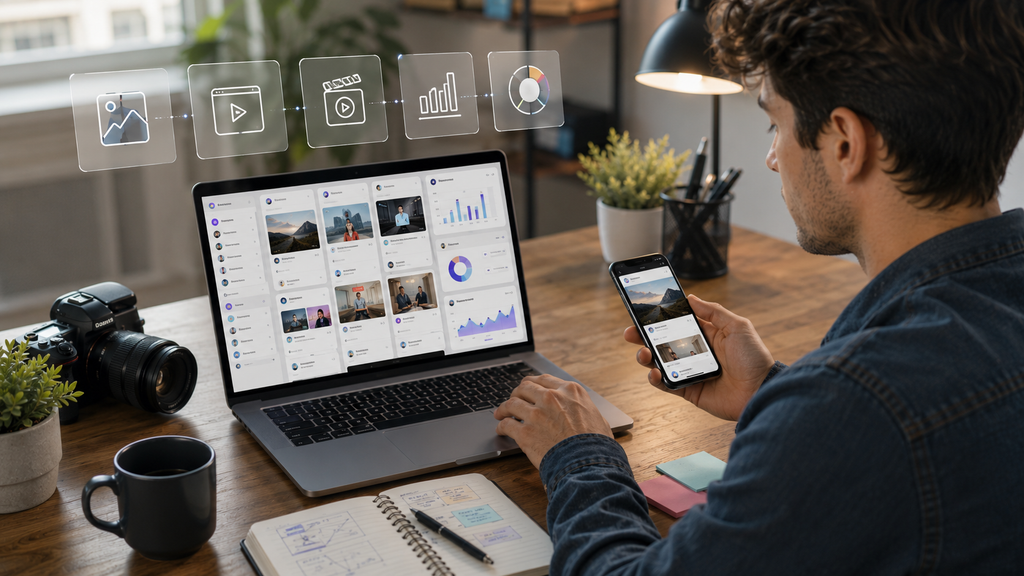
7. AI Presentation and Graphic Design Tools
Creators, educators, marketers, and business owners often need presentations and visual documents. AI-assisted design tools can help generate layouts, organise information, suggest visual structures, and speed up repetitive design work.
Good presentation design still requires editing. Remove unnecessary text, keep the visual hierarchy clear, and make sure the final slides communicate one idea at a time.
8. AI Productivity and Workflow Automation
Content creation involves many small tasks: organising ideas, naming files, creating checklists, scheduling work, preparing briefs, and moving information between tools. AI automation can reduce some of this repetitive work.
Automation should be introduced carefully. A workflow that saves ten minutes but creates frequent errors may not actually save time. Start with simple repeatable tasks and test each automation before relying on it.
Build a Repeatable Workflow
For example, you might use one tool for research notes, another for drafting, another for visual production, and another for scheduling. The exact combination is less important than having a process you can repeat consistently.
9. How to Choose the Best AI Tools for Your Workflow
Do not choose an AI tool simply because it is trending. First identify the task you want to improve.
Check the Core Features
Look at the tool’s actual capabilities, output quality, ease of use, supported file formats, integrations, usage limits, privacy terms, and commercial-use conditions.
Compare Free and Paid Plans
A free plan can be enough for experimentation, while professional creators may need higher limits or additional features. Check current pricing before subscribing because plans can change.
Consider Your Existing Tools
A tool that integrates with your current workflow can be more valuable than a slightly more powerful tool that requires constant manual transfers.
10. A Practical AI Content Creation Workflow
A simple AI-assisted workflow can look like this: choose a topic, research it, create an outline, produce a first draft, fact-check the information, create supporting visuals, edit the final content, optimise the title and description, and then publish and analyse the results.
The creator remains responsible for the final product. AI can accelerate production, but it should not remove the human review that gives content its personality and reliability.
Step 1: Start With the Audience
Identify what your audience wants to learn, solve, compare, or discover. A useful topic is more important than the novelty of the AI tool.
Step 2: Create the First Draft
Use AI to speed up repetitive drafting, but provide enough context to avoid generic results.
Step 3: Add Human Experience
Add examples, opinions, observations, original screenshots, demonstrations, or explanations that make the content genuinely yours.
Step 4: Fact-Check
Verify important information before publishing. This is especially important for technology products, prices, policies, statistics, and rapidly changing AI features.
Step 5: Edit for Quality
Read the final piece as a human viewer or reader. Remove repetition, awkward phrasing, unnecessary filler, and claims that cannot be supported.
AI Content Does Not Mean Automatic Quality
One of the biggest mistakes creators can make is assuming that AI-generated content is automatically good content. AI can produce fluent text and attractive images while still missing context, originality, or the real needs of an audience.
best AI tools for content creators
Creators who use AI successfully usually combine speed with judgment. They decide what to create, why it matters, what information is trustworthy, and what should be changed before the audience sees it.
best AI tools for content creators
Common Mistakes When Using AI for Content
Publishing the First AI Draft
A first draft is rarely the best final version. Review structure, facts, tone, originality, and usefulness.
best AI tools for content creators
Using the Same Generic Prompt Every Time
Better inputs generally produce more useful outputs. Give the AI context, audience information, constraints, examples, and a clear goal.
best AI tools for content creators
Ignoring Copyright and Licensing
Before using AI-generated or AI-assisted material commercially, check the current terms of the tool and the rights attached to any source assets.
best AI tools for content creators
Replacing Human Creativity
AI should support creativity rather than erase it. Your perspective, experience, storytelling, and editorial decisions are what make content distinctive.
best AI tools for content creators
How Creators Can Save Money With AI
AI can reduce the need for repetitive manual work, but using many subscriptions at once can become expensive. Start with a small toolkit that solves your most important problems.
A creator might begin with one writing or research assistant, one visual tool, and one video or audio tool. Add more only when a clear need appears.

The Future of AI-Assisted Content Creation
AI tools are likely to become more integrated into everyday creative software. Instead of thinking about AI as a separate application, creators may increasingly use AI features directly inside writing, design, video, audio, research, and publishing platforms.
This makes fundamental creative skills even more valuable. Understanding storytelling, editing, design, audience behaviour, research, and communication helps creators decide when AI is useful and when a human approach is better.
Final Thoughts
The best AI tools for content creators are not necessarily the tools with the longest feature list. The best tool is the one that solves a real problem in your workflow, produces useful results, and fits your budget and working style.
AI can help creators brainstorm faster, edit more efficiently, produce supporting visuals, organise research, and repurpose content. But the final quality still depends on human judgment.
best AI tools for content creators
Start small. Choose the tasks that consume the most time, test a few suitable tools, measure whether they actually improve your workflow, and keep the parts of the creative process where your personal voice adds the most value.
best AI tools for content creators
Frequently Asked Questions
What are the best AI tools for content creators in 2026?
The best tools depend on the task. Creators may use AI for writing, research, image generation, video editing, audio, design, social media, and workflow automation. Tool capabilities and pricing change frequently, so compare current features before choosing
best AI tools for content creators
Can AI create content for YouTube?
AI can assist with ideas, scripts, thumbnails, captions, editing, research, and repurposing. Human review and creative direction remain important for quality and originality.
best AI tools for content creators
Can AI replace content creators?
AI can automate some production tasks, but successful content still benefits from human judgment, experience, storytelling, creativity, and audience understanding.
Are free AI tools enough for beginners?
Free tools can be enough to learn the basics and test a workflow. Paid plans may become useful when you need higher limits, advanced features, or professional integrations.
best AI tools for content creators
Is AI-generated content good for SEO?
Using AI does not automatically make content good or bad for search. What matters is whether the final content is useful, original, accurate, and created to satisfy the audience’s needs.
best AI tools for content creators
Should I use many AI tools at once?
Usually, no. Start with a small toolkit. Too many overlapping subscriptions and workflows can increase cost and complexity..
best AI tools for content creators
Editorial Disclaimer
AI tools, pricing, features, licensing terms, and platform policies can change. Verify current information directly with the relevant provider before making purchasing, publishing, or commercial-use decisions.
Related https://techflixpk.com/earn-money-online-in-pakistan-2026/
Youtube link www.youtube.com